How to Prepare Your Power BI Data Model for Microsoft Copilot (2026 Guide)
Business Intelligence
3 min read Min Read
Is Power BI Copilot giving wrong answers? Fix your semantic model with clean naming, column descriptions & star schema to make AI queries actually work.
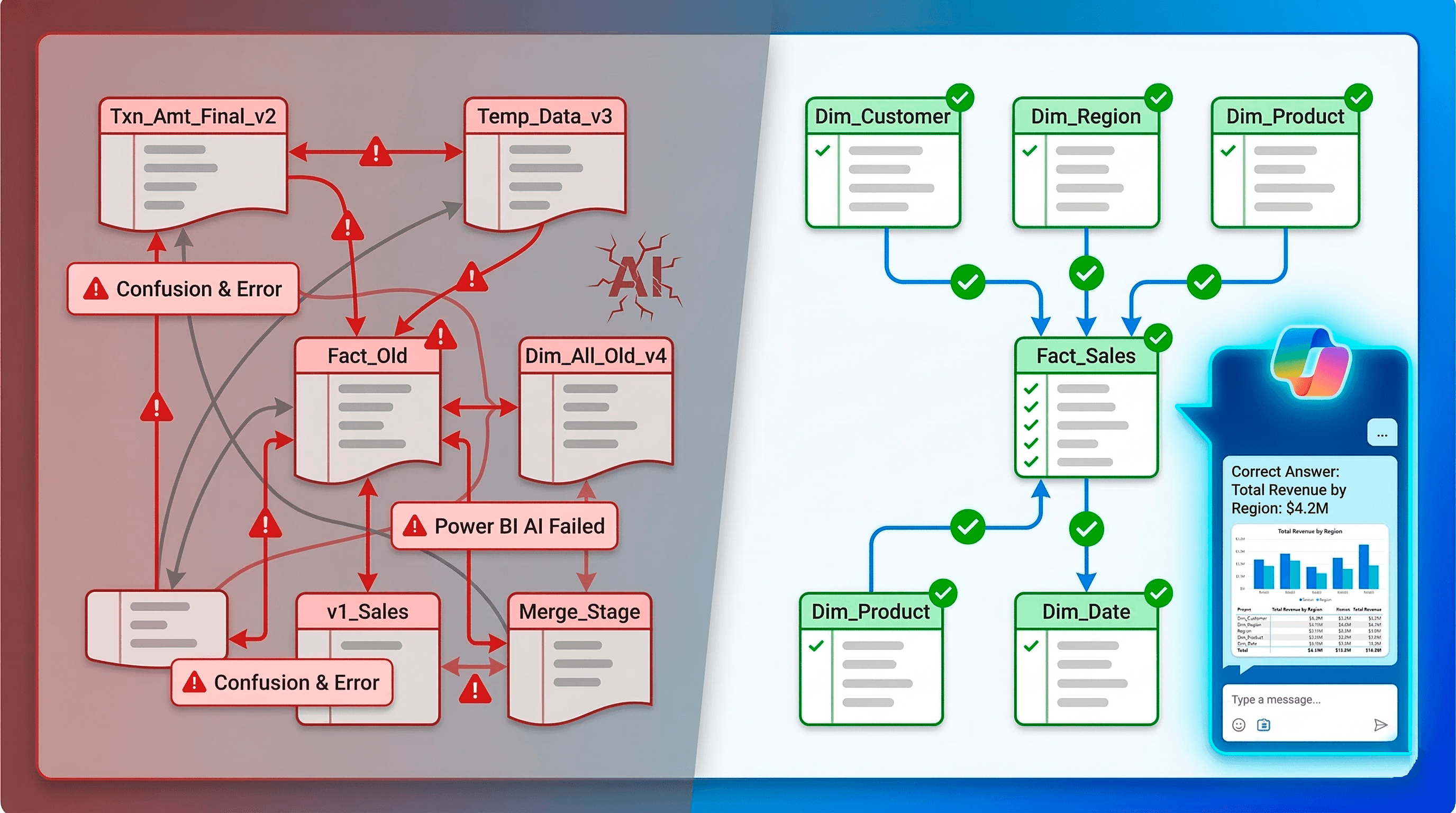
So your company just unlocked Microsoft Copilot for Power BI. You open a workspace, type a simple prompt like "Show me total revenue by region for last quarter," and the AI spits out a completely wrong number. Or worse, it just throws an error.
You are definitely not alone.
If you are currently googling "Power BI Copilot not working" or "how to optimize Power BI semantic models for AI," you have just discovered a harsh reality. AI tools are only as smart as the data models underneath them. If your tables are poorly named and your DAX is undocumented, Copilot will hallucinate.
Getting your Power BI environment ready for natural language queries requires a massive cleanup of your semantic layer. Here is exactly why your AI queries are failing and how you can automate the fix.
Why Microsoft Copilot Fails in Power BI
When Copilot reads your dataset, it does not look at the actual rows of data. It looks strictly at your metadata. It reads table names, column headers, relationships, and DAX measures to guess what you are asking for.
If your model is not specifically optimized for this, things break down quickly due to three common bad habits.
1. Terrible Naming Conventions Humans can look at a column named Txn_Amt_Final_v2 and know it means "Total Sales." Copilot cannot. If your users ask the AI for "Revenue" but your fact table uses backend SQL jargon, the AI will fail to connect the dots. You need clean, business friendly names and a robust dictionary of synonyms.
2. Missing Column Descriptions This is the number one reason natural language queries fail. Copilot relies heavily on the "Description" property of your tables and columns to understand context. If your [Margin] measure does not have a description explaining that it calculates profit divided by revenue, the AI has to guess how to use it.
3. Ambiguous Relationships If you have bi-directional filters or complex, inactive relationships spiderwebbing across your data model, you are going to confuse the AI. Copilot needs a strict, clean Star Schema where filter directions flow logically from dimensions down to fact tables.
How to Automate Your Copilot Readiness
Manually renaming columns, adding synonyms, and typing out hundreds of measure descriptions by hand is a miserable task. Nobody wants to spend two weeks updating properties in the model view.
This is exactly where the Claribi Console changes the game. Claribi acts as an automated governance layer that gets your Power BI reports AI-ready without the manual grunt work.
Here is how you can use Claribi to prep your datasets for Copilot:
Automated Semantic Audits: Connect your Power BI metadata to the Claribi Console, and it will run a full diagnostic on your report. It instantly flags ambiguous relationships, identifies columns that violate naming conventions, and highlights exactly which measures are missing the descriptions that Copilot needs to function.
Bulk AI Documentation: You no longer need to type out descriptions manually. Claribi uses its own AI to analyze your DAX formulas and automatically generate clear, business friendly definitions for every single measure and column in your model.
Smart DAX Refactoring Chat: If Claribi flags a measure that is too complex for Copilot to process efficiently, you can use the built-in AI chat to fix it. Just ask the console to simplify your DAX or remove a messy bi-directional filter, and it will hand you the optimized code.
100% Secure Architecture: Preparing for AI does not mean exposing your company data. Claribi uses a strict metadata-only approach. It reads your structure and formulas to generate recommendations, but your actual underlying business rows are never accessed.
If you want your business users to actually trust the numbers that Copilot gives them, you have to build a flawless semantic layer first.
Ready to see if your data model is AI-ready? [LINK: Try the Claribi Console and audit your semantic layer today]
Join our newsletter list
Sign up to get the most recent blog articles in your email every week.